
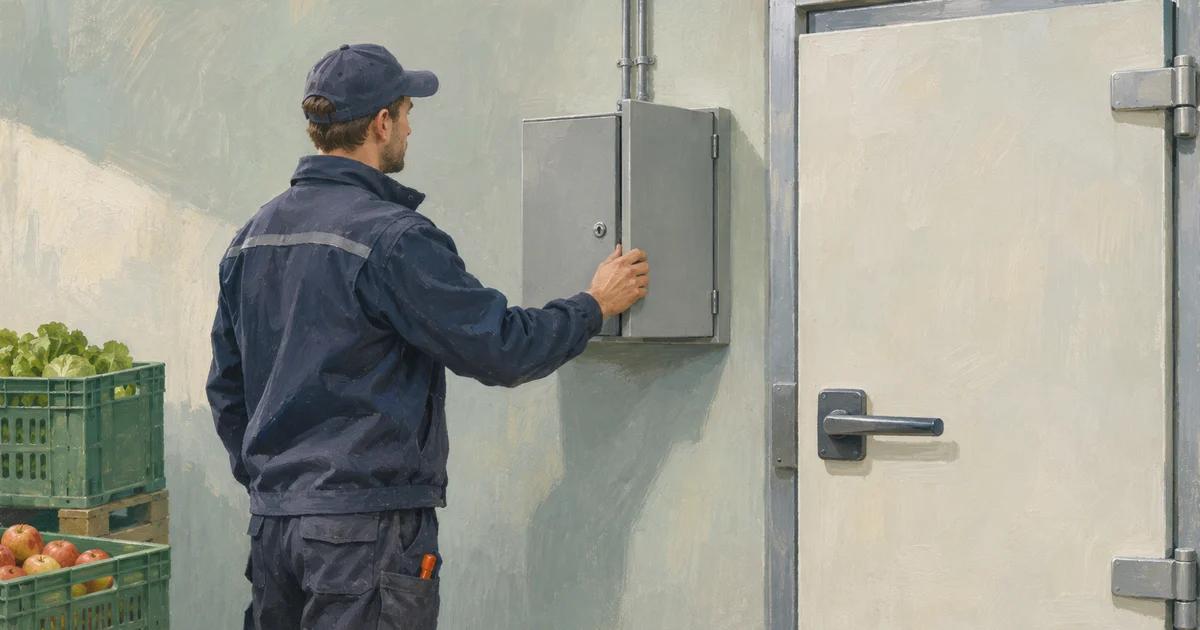
A refrigeration system can keep running while the temperature is changed to a setting that ruins the goods inside. A company may discover the problem through a damaged inventory rather than a locked computer. If a supplier also has remote access to the equipment, restoring safe operation requires more than calling the ordinary IT help desk.
The attacks on refrigeration systems in Europe bring a practical question to Norwegian management teams: who can change the settings of equipment the business depends on, who will notice an unsafe change, and who can act before the loss grows?
Start with the equipment whose failure would hurt customers, safety or cash flow. Map who controls it, how remote access works and how the actual condition can be checked independently. Then agree with the equipment supplier on a safe response and test it. Remote maintenance has value, especially for a small business far from a service technician. The aim is to keep that benefit while making access and response manageable.
What the authorities say happened
On 4 November, the European Commission and partner agencies said commercial refrigeration and similar devices in several EU countries had been affected by cyber incidents since 11 October, with another wave on 1 and 2 November. Authorities were investigating; the joint statement did not establish a single cause or identify the people behind every incident.
Sweden's national crisis information service reported that the temperature had been raised in a number of refrigerators and freezers in the retail sector. Its cybersecurity centre warned that older internet-connected control equipment can be difficult to update.
In Norway, NSM and the Norwegian Business and Industry Security Council assessed on 4 November that Norwegian grocery chains were generally well prepared against this type of attack. They also said several companies had been warned about poorly secured refrigeration systems, while a handful had not yet been reached. That is not a finding that all Norwegian cold stores are exposed, nor a guarantee that none can be attacked.
On 6 November, the Norwegian Food Safety Authority urged food and water operators to review their security and exercise their contingency plans. Its warning concerns operational technology: digital systems that control physical processes. The authorities' statements do not establish that AI was used in these refrigeration incidents. A business does not need to prove that AI was involved before protecting the equipment.
Follow the connection to the equipment
Imagine a small Norwegian food wholesaler. The cold room installer can diagnose faults remotely, the building owner provides a network connection and the wholesaler owns the stock. The normal IT provider maintains employee accounts but does not administer the refrigeration controller. This example is hypothetical; it is not a description of an affected company.
The manager should bring those parties together around one cold room. Ask the installer to show the controller, its software and support status, every route used for remote access, and the people or companies authorised to change settings. Include mobile connections and supplier accounts, not just the office network. Agree who maintains the list and who removes access when a contract or employee changes.
Ask whether the controller is reachable directly from the internet and whether remote access is limited to named, authorised users. Request a plan for removing unnecessary exposure, updating supported equipment and replacing unsupported components. Where an update or replacement is not immediately possible, agree temporary protections with the specialist and set a date for review. Do not assume that turning off a connection is harmless: it may also disable alarms or service access. The people responsible for safe operation must assess and test the change.
Should the equipment be taken offline?
For some critical systems, permanent disconnection from the internet is the best choice. If the refrigeration can operate safely with local controls, local alarms and on-site maintenance, removing external connectivity eliminates that route for a remote attacker. A cold store with limited need for remote service may find that this is a worthwhile trade-off, even if technician visits take longer and cost more.
First establish what "offline" means for the installation. Disconnecting a web dashboard is not enough if the controller still has a mobile modem, another supplier connection or a path through the office network. A system with no direct internet connection may still be reachable through connected networks. A genuinely isolated system has no network route to the internet, but that does not make it immune to compromised service devices, removable media, physical access or unsafe configuration. Controls for those paths, maintenance and updates are still needed.
NSM recommends that industrial control components should not have direct remote access over the internet and that operational and IT networks should be separated. That recommendation does not mean every system must be completely disconnected. If remote service is necessary, keep the equipment off the open internet and use a controlled access route with named users, strong authentication, only the permissions needed, logging and access enabled only when needed. A VPN alone is not a complete security plan.
The operations manager and supplier should test the change before it becomes permanent: does cooling continue safely without the connection, where do alarms go, and how will updates and urgent repairs be delivered? Agree who will check temperatures, how often, what happens outside office hours and how a technician can arrive if remote assistance is unavailable. Review the service contract and the cost of call-outs and independent alarms. Record the decision and the remaining risk; do not unplug a live control system without a qualified safety assessment.
Make a plan for an attack before it happens
Assume someone reports an unexpected temperature change or an unauthorised login. The first priority is to protect people and food while the technical team establishes what happened. An incident plan should name an incident lead and a substitute, a food safety decision-maker, the refrigeration specialist, IT security assistance and a way to reach each of them outside normal hours. Keep a copy of the contact list, the plan and essential operating instructions accessible without the affected network.
Agree in advance who can isolate remote connections and how to do it safely. NSM's incident checklist recommends disconnecting affected systems from the internet while keeping systems running so that evidence is not lost. Industrial equipment also has safety and availability requirements: the operator and qualified technical responders must determine the safe isolation method for that installation. Do not power off a controller or erase logs as an improvised first step. If there is immediate danger, follow the facility's established emergency procedures.
The plan must also say how staff will verify temperatures independently, protect or hold affected stock, arrange alternative cold storage where feasible and decide what can safely be delivered. Involve food safety expertise and contact the relevant authorities as appropriate; notification obligations depend on the incident and the business. Record observations and decisions, preserve relevant logs and settings, and ask incident specialists to investigate the scope.
Before reconnecting, remove the attacker's access, establish the cause as far as possible and restore verified settings and software from trusted sources. The people responsible for equipment and food safety should check operation and alarms before management authorises a staged return to service. Test the plan with the supplier, including a scenario in which the supplier's own connection or services are compromised. Assign owners and dates to the gaps the exercise reveals.
Know what the goods are experiencing
A dashboard showing the set temperature does not by itself prove the temperature in the cold room. Decide how staff will independently check the actual conditions if the controller or its data cannot be trusted. Use suitable, maintained measuring equipment and the organisation's food safety procedures. The necessary measurement, thresholds and handling of affected goods depend on the products and circumstances.
Agree in advance who receives an alarm, including outside working hours, and who has authority to contact the service provider, isolate remote access or stop distribution. An alarm sent only to the same compromised system may be insufficient. An independent notification channel or manual check can help, provided someone is responsible for acting on it. Document the cost and limitations of the alternative rather than assuming it is always available.
Do not sell or discard goods solely on the basis of an AI-generated answer about temperature. Follow the company's food safety procedures, seek qualified advice and consult the relevant authority when needed. An AI tool may help organise the asset list or draft an exercise, but its output needs checking and the plan must be available when the service is not.
Rehearse one decision with the supplier
Run a tabletop exercise before changing live equipment. Tell the team that the displayed setting and an independent measurement disagree outside office hours. Ask the people responsible for operations and safety, the service provider and the IT contact to decide:
- Who receives the warning and verifies the physical condition?
- Who can restrict remote access without disabling essential monitoring or making the equipment unsafe?
- Who decides whether goods must be held back or operations stopped, and whom should they consult?
- How will the team record events, preserve relevant information and restore settings safely?
- What happens if the supplier or ordinary communication channel is unavailable?
Record the time it took to reach each person, the decisions that lacked an owner and the equipment or information that was missing. A discussion is a useful start, but it does not prove that a technical shutdown or restart works. Arrange any live test with qualified personnel and assess safety first.
What the board should ask
Management owns the inventory, supplier agreements, technical changes and exercises. The board should ask which physical processes could cause a material loss if their settings were changed, whether the business can detect a problem independently, and what management needs to fix the most serious gap. A small company may start with one cold room and a supplier call; a larger operator may need a coordinated plan across sites and service providers.
The broader guide to supplier security responsibilities explains how work can fall between agreements. The CEO incident guide addresses decisions once an incident is suspected. The immediate task is simpler: identify one critical system, name its owner and check whether the people responsible can verify and protect the physical operation.
Sources checked 8 November 2026. The wholesaler and exercise are hypothetical. The actions proposed are the author's recommendations, not proof that any particular business is vulnerable. The illustration is AI-generated.